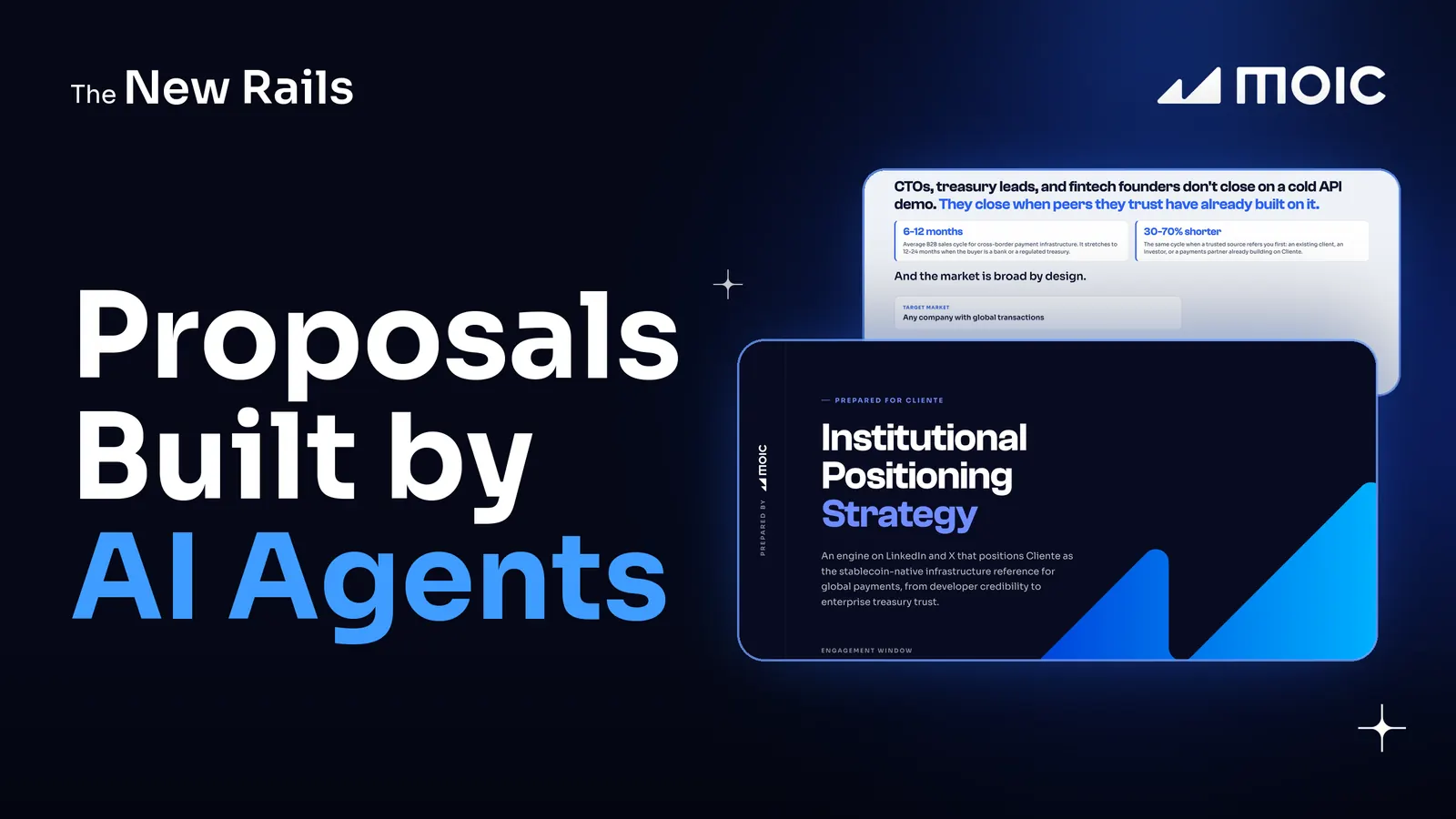
MOIC Digital builds personalized sales proposals with Versa, a pipeline of AI agents. An analyst enters the target company and its founders. Versa researches their website and LinkedIn profiles, writes the proposal inside the sales narrative MOIC has already validated, creates mockups in the client’s visual identity and publishes everything at its own link. A proposal takes about 10 minutes on average and costs cents in API calls.
Asking a chatbot to put together a proposal looks simple. The result is usually generic text, with invented facts about the client, off-brand visually and stuck in a file nobody tracks. This post shows how we solved that with a pipeline of agents that researches the client, follows the house narrative and publishes the proposal at a link.
Every B2B agency knows the gap between a good call and the proposal landing in the client’s inbox. Someone has to research the company and its founders, write a narrative that makes sense for that business, put the design together and review everything. At MOIC, each proposal took hours of work and the result varied from analyst to analyst. As the sales pipeline grew, this became a bottleneck: the client waited days for something that could arrive right after the conversation.
Versa is the agent MOIC’s AI Squad built to fix that. Below we explain how it works, how we started and the problems we solved along the way. Almost all of them show up for anyone trying to use AI to produce sales material.
| A simple prompt (“Put together a proposal for company X”) | Versa, a pipeline of agents | |
|---|---|---|
| Research | Only the company name and what the model remembers | The company’s and founders’ website and LinkedIn, collected before writing |
| Facts | Fills gaps with whatever sounds plausible | Uses only what was collected: product, stage, followers, funding rounds |
| Structure | Changes with every request | A fixed template with the sales narrative MOIC has validated |
| Visuals | A document with no identity | Mockups with the client’s brand and MOIC’s identity |
| Voice | Neutral text | Sample posts in each founder’s voice, with their photo |
| Delivery | An attached file | A page published at its own link, with a management dashboard |
| Sales | Sits outside the process | A link in the CRM and a fixed step in the prospecting cadence |
| Time | Hours of tweaking until it is presentable | About 10 minutes and cents of a dollar per proposal |
How does Versa work?
Versa is a four-phase pipeline, with a person at the start and another at the end.
- Human input. The analyst enters the target company and the LinkedIn profiles of its founders or decision-makers.
- Research. Versa collects the company’s website and the LinkedIn profiles of the company and its people: what they sell, to whom, what stage they are at, how many followers they have, which funding rounds they raised.
- Writing. A language model writes the variable content of the proposal from that data, inside a template that carries the sales narrative MOIC has already validated.
- Mockups. An image model creates the personalized visuals: the research report with the client’s brand and LinkedIn posts in each founder’s voice.
- Publishing. Versa renders everything into a single HTML file and publishes it at its own address, such as proposals.moicdigital.com/<client>.
- Human output. The link goes to the lead’s card in the CRM, and the team reviews and sends it.
The division of work follows the rule we use in all our agents. What has to be fixed and approved (the narrative, the order of the slides, the prices, MOIC’s identity) lives in the template. What needs reading and adaptation (understanding the client, writing for them, creating the visuals) goes to the agents. The decision to send, and what to talk about with the client, stays with the team.
How we started: one proposal made by hand first
Versa did not start as an automation project. It started with a proposal.
Rogério, MOIC’s CEO, put together an entire proposal using AI, for a real client, and wrote down every challenge and every possibility along the way: which client information made a difference, which slides convinced, where the AI got things wrong, which images worked. Only after that example was finished did the team start generalizing the process for any client.
We call this approach a walking skeleton, a software term Alistair Cockburn coined in the 1990s for “a tiny implementation of the system that performs a small end-to-end function” (source). Instead of designing the whole system before running the first case, you build one real case end to end and, along the way, document and generalize what you did. Reality shows up early, and what you automate is something that has already worked once.
| The common path | The walking skeleton (how we built Versa) | |
|---|---|---|
| Step 1 | Design the whole system | Build one real proposal end to end |
| Step 2 | Build every part | Write down challenges and possibilities |
| Step 3 | Run the first client | Turn that case into a template |
| Step 4 | Find out what does not fit | Generalize and automate |
| When problems appear | At the end | First automatic proposal within 4 days |
The pace shows the effect. The agent got its name one day, and the first version (with website and LinkedIn collection, the template and a skill that manages the creation) shipped the next day. Four days later, the first proposal was generated entirely without human intervention in the AI’s work. By June 2026, Versa was producing proposals for real leads.
What problems did we solve?
1. The agent doesn’t know the client
A chatbot that receives only a company name fills the gaps with what seems plausible. It can get the sector wrong, invent a number or describe a product the company does not have. A proposal with a wrong fact about the client itself loses credibility on the first page.
How we solved it: before writing anything, Versa collects real data: the company’s website and the LinkedIn profiles of the company and its founders. The proposal uses what was collected, such as the positioning the company uses on its own website, its follower count, the accelerator program it joined and its latest funding round. This data shows up in the mockups and in the text, and it is how the client sees that the proposal was made for them.
2. Every request produces a different structure
Ask a chatbot for the same proposal twice and you get two different structures. The sales narrative, which took years to refine (why MOIC, what the thesis is, how delivery works, what it costs), changes with every run.
How we solved it: a fixed template, with the slide sequence MOIC has validated in sales: cover, why MOIC, the approach, voices that back the thesis, the solution, how we reach decision-makers, the division of work, the research report, a content example, the roadmap, the team and the investment. The agent writes only the parts that change from client to client. When the team decides to change the narrative, it changes the template, and every proposal after that comes out with the new version.
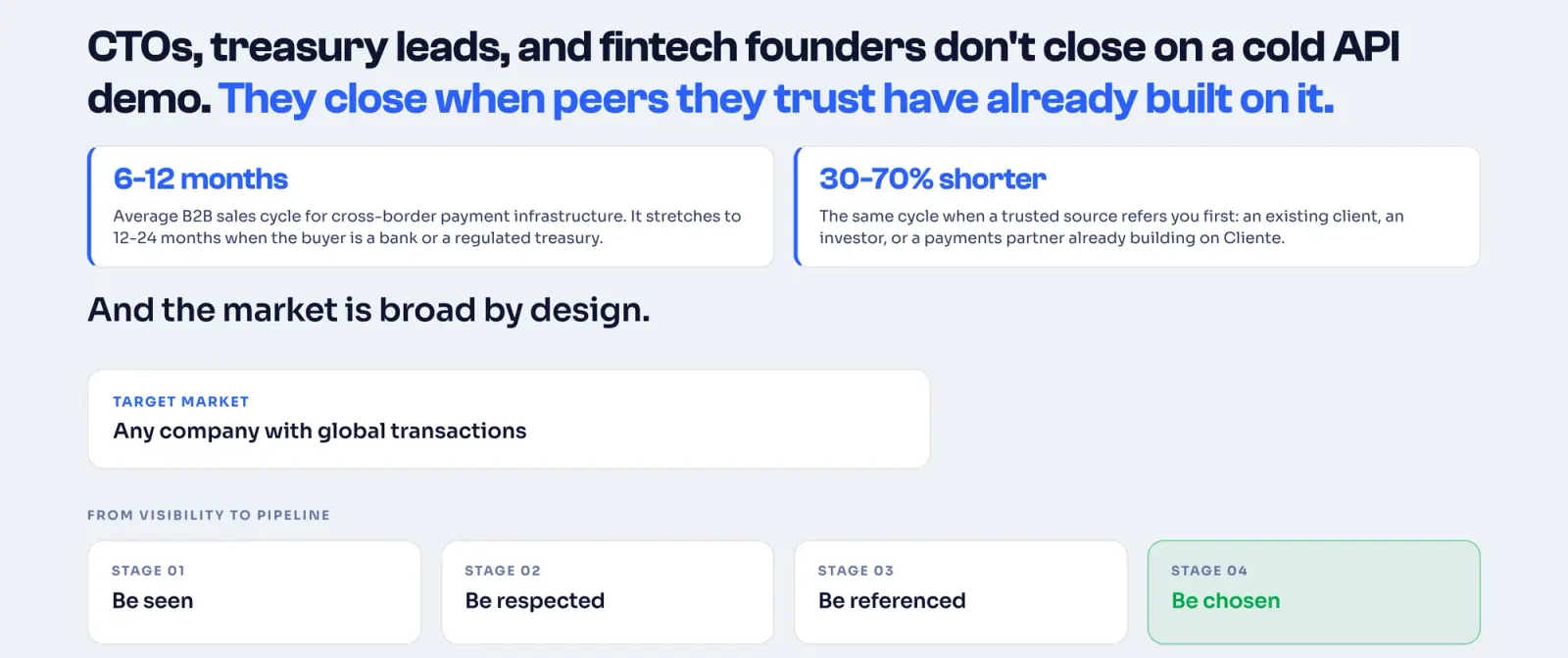
Approach slide from a real proposal. The client’s name was replaced.
3. Generic visuals
Good text in a document with no identity does not convince. And asking a designer to build mockups for every proposal brought back the bottleneck we wanted to remove.
How we solved it: Versa generates the mockups with image models, using the client’s visual identity. Two of them make the most difference. The first is the research report MOIC would produce for the client, already with their brand, topic and numbers. The second is a series of LinkedIn posts written in each founder’s voice, with the person’s photo, showing how the company would sound with MOIC’s work.
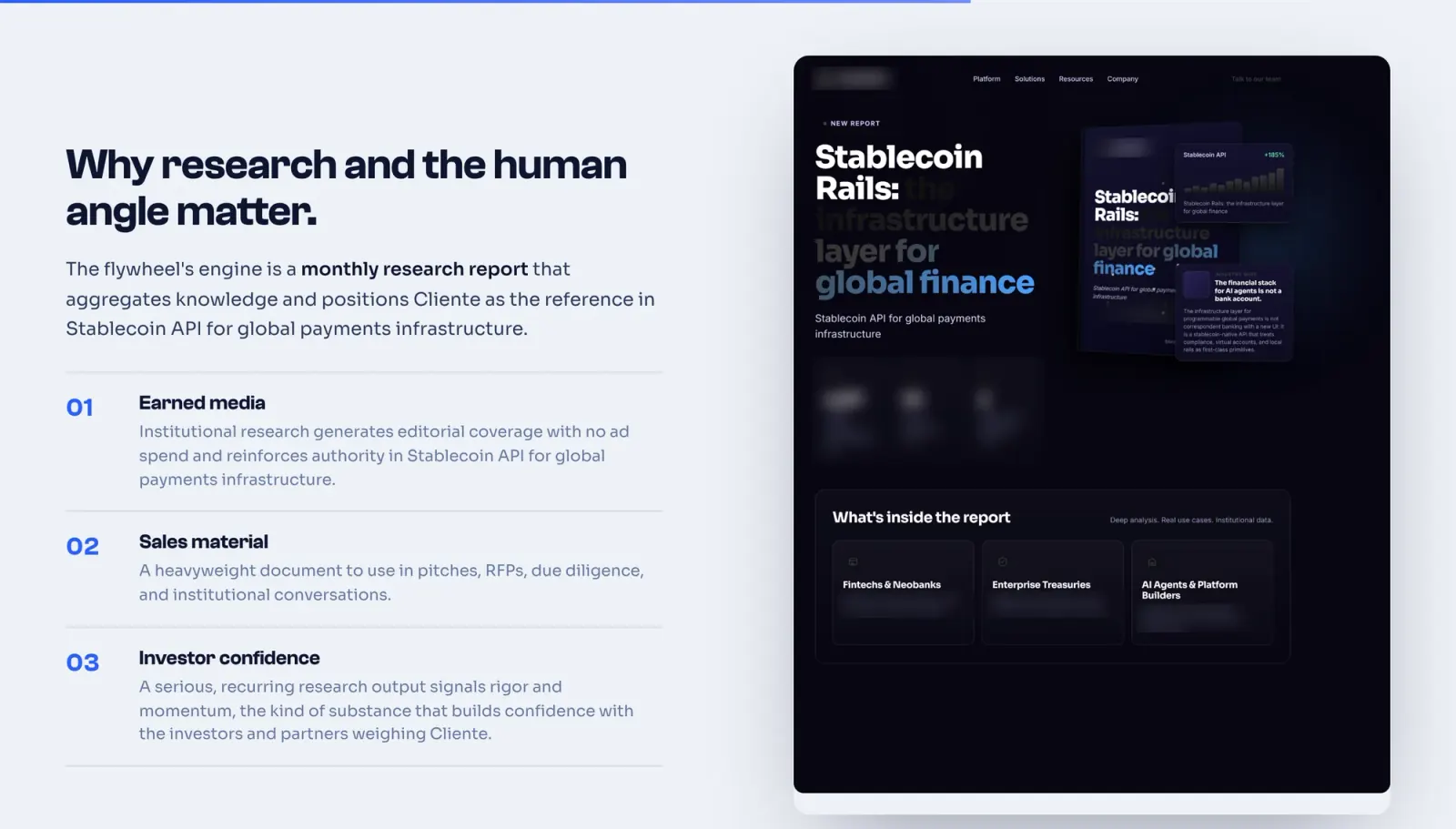
Mockup of the research report, generated in the client’s identity. The client’s brand and numbers are blurred.
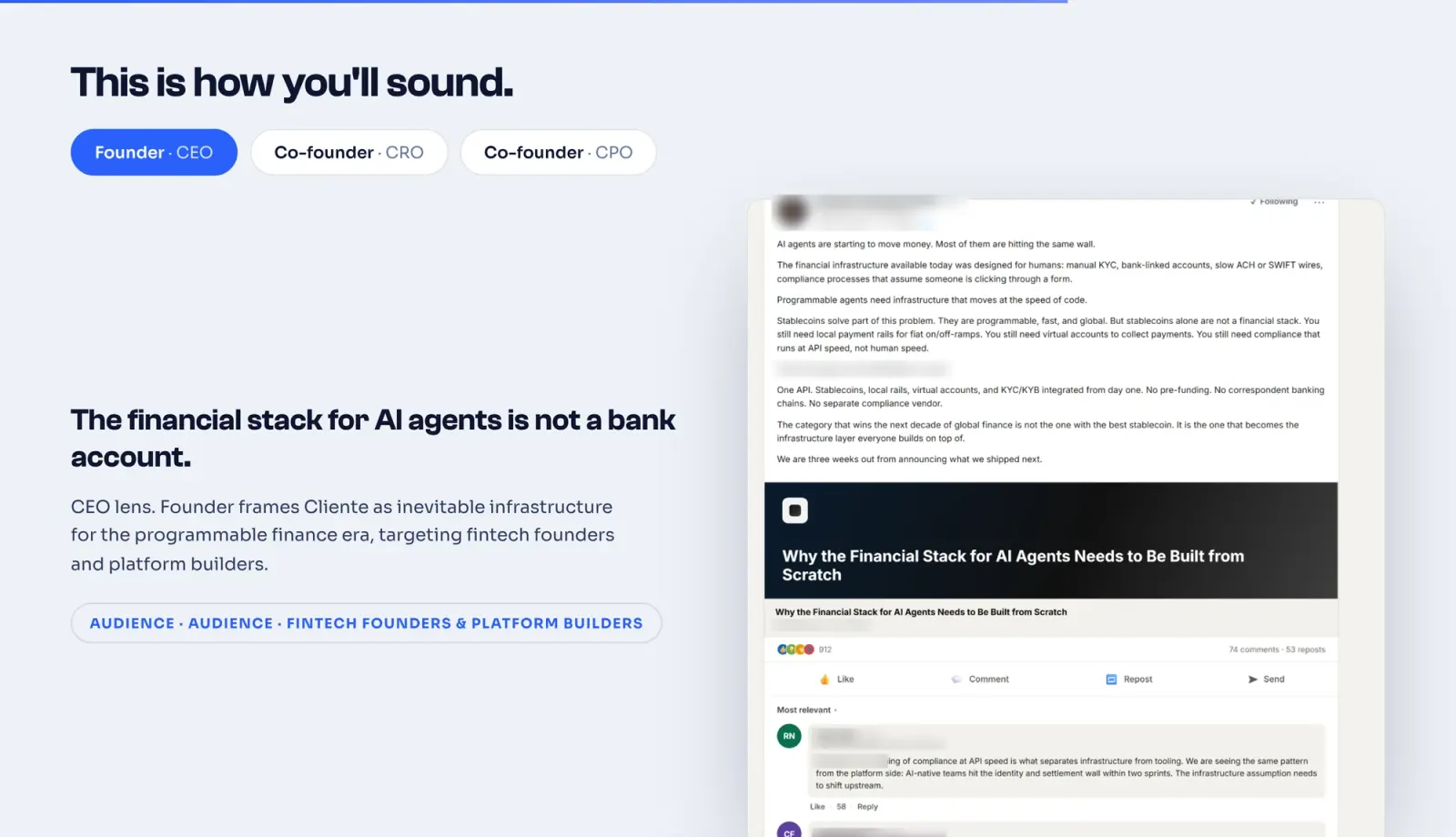
“This is how you’ll sound”: a LinkedIn post written in the founder’s voice. Names are blurred.
4. The proposal is stuck in a file
A PDF attached to an email disappears in the client’s inbox. Nobody knows which version is the latest, and updating it means sending another attachment.
How we solved it: each proposal becomes a page published at its own address. Versa renders a single HTML file and publishes it through the API of our proposals service, with one address per client. For the team, there is a dashboard with every published proposal, with favorites, sorting by date or name and bulk actions.
5. Two proposals at once overwrote each other
In the first version, several people ran Versa on their own computers and published to the same site. When two proposals were published at the same time, one overwrote the other.
How we solved it: we rewrote publishing. Each proposal became an independent file, identified by the client’s name, published through its own API. Uploading or deleting a proposal does not touch the others and does not require republishing the site.
6. Setting up the agent was hard
Anyone who wanted to generate a proposal had to configure tools, API keys and dependencies on their own computer. That limited use to the people who built the agent.
How we solved it: Versa became a skill with two commands, one to install and one to generate the proposal. The code lives in a repository with documentation, and the keys sit in a shared, controlled place. The default model and the instructions come with it, so whoever runs Versa always gets the latest version.
7. The proposal was disconnected from the sale
Generating the proposal fast helps little if it does not enter the sales process at the right moment.
How we solved it: Versa is connected to the CRM and to the prospecting cadences. Each company in the CRM has a field with the proposal link, and MOIC’s prospecting agent fills in the LinkedIn profiles of the decision-makers that feed Versa. The standard LinkedIn prospecting cadence uses the proposal as part of the conversation, so the lead receives a personalized proposal before the first meeting. Timing matters here: in 6sense’s 2025 Buyer Experience Report, 94% of buying groups had ranked their preferred vendors before first contact (source). We cover what has to be true before a proposal in why most B2B deals with financial companies stall before the proposal.
| Message | Step | What it does |
|---|---|---|
| 1 | Opening | A hook about the company’s moment, without selling |
| 2 | Reveal MOIC | Who we are and the thesis |
| 3 | Proof | An image of the sector’s decision-maker map |
| 4 | Promise | Says a proposal is being prepared |
| 5 | Delivery | The link to the Versa proposal, already personalized |
The standard LinkedIn prospecting cadence, with engagement tasks between the messages.
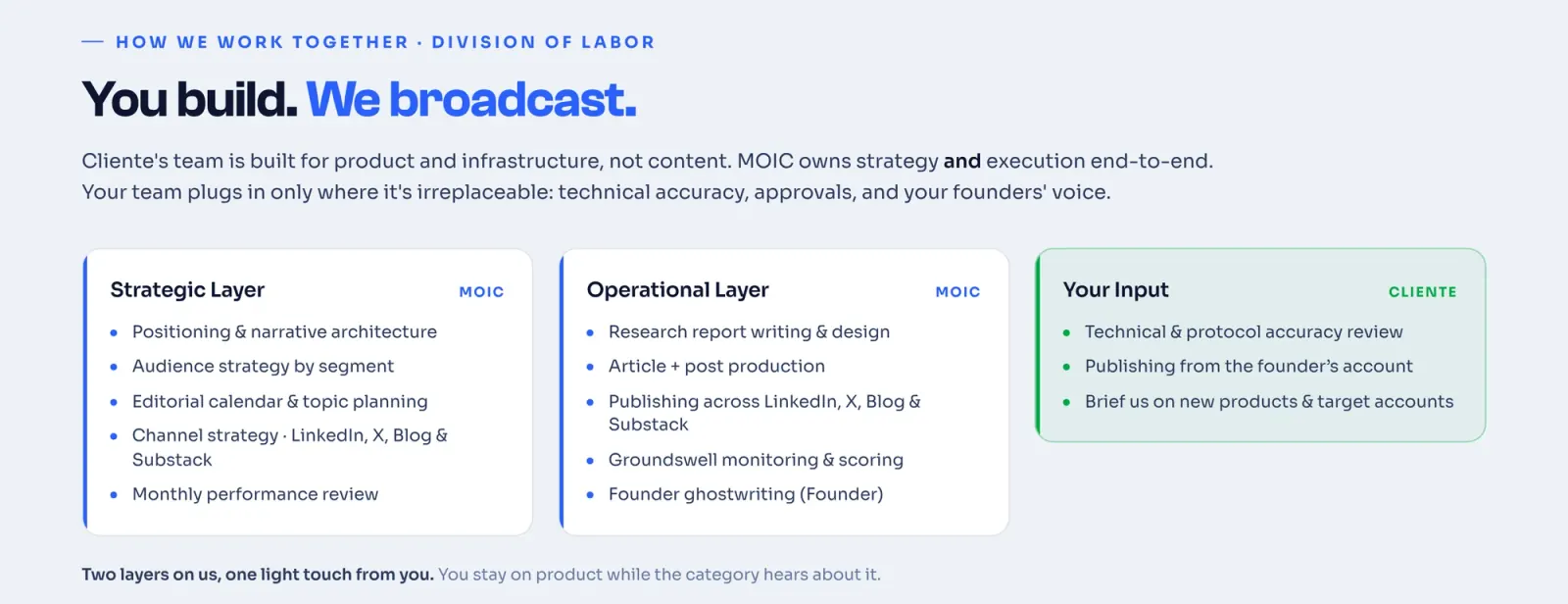
Division of work slide, one of the slides the agent adapts to each client’s context. The client’s name was replaced.
How to build your own
1. Make one whole proposal first. Use AI to put together a real proposal, start to finish, and write down everything that went right and wrong. That case becomes your template.
2. Separate what is fixed from what varies. Narrative, slide order, prices and your company’s visual identity stay in the template. The agent writes only what changes per client.
3. Collect before writing. Give the agent real client data (website, the company’s and founders’ LinkedIn) and instruct it to use only what was collected.
4. Personalize the visuals. Mockups with the client’s brand and voice convince more than any paragraph. Today’s image models do this in seconds.
5. Publish at a link. A page with its own address is easier to share, update and track than an attachment.
6. Package it as a skill. Simple install and run commands let anyone on the team use the agent, beyond the people who built it.
7. Connect it to the sales process. Record the link in the CRM and decide at what point in the conversation the proposal comes in. Keeping the CRM as the single record is part of RevOps for financial companies.
What is still open
- Collecting LinkedIn data is unstable. Collection tools fail on access limits and blocks, and a model alone gets this step wrong often. Today we use a script with an automated browser and are evaluating more reliable alternatives.
- Continuous optimization. With many proposals in production, the next step is to measure which slides and which mockups help close the most, and adjust the template based on that.
Principles
- Automate what has already worked once.
- The template holds the narrative; the agent adapts it to the client.
- Facts about the client come from collection, never from the model’s memory.
- Personalized visuals sell more than personalized text.
- A proposal is a link, not an attachment.
- An agent only becomes a team tool when anyone can run it.
Want to apply this to your prospecting?
MOIC helps financial companies turn market intelligence into pipeline. See how we work on sales and pipeline or book a call.
FAQ
What is Versa?
Versa is the pipeline of AI agents built by MOIC Digital’s AI Squad to create sales proposals. It researches the prospect, writes inside a fixed template, generates mockups in the client’s identity and publishes the proposal at its own link.
How long does an AI-generated proposal take?
With Versa, a proposal takes about 10 minutes on average and costs cents of a dollar in API calls. Before Versa, each proposal took hours of an analyst’s work.
How do you stop the AI from inventing facts about the client?
Versa collects the client’s website and LinkedIn profiles before writing and is instructed to use only what it collected. The fixed parts of the narrative live in a template the agent cannot change.
Why publish the proposal as a link instead of a PDF?
A link is easier to share, update and track than an attachment, and it can be stored on the lead’s card in the CRM. Each proposal is an independent page, so publishing one never touches the others.